If you’re getting a Samsung Galaxy S23 Ultra, here’s my warning: have a screen protector ready before you start using it. Not a few days later. Not after you’ve carried it around for a while. Right out of the box.
I used mine without one for a single day and ended up with little surface scratches across the screen. I didn’t drop it. I didn’t gouge it. I put it in my pocket during a grocery trip, and apparently that was enough.
This isn’t about trying to scare anybody into buying an accessory. I genuinely believe in screen protectors, and I normally install one immediately. This time, my phone arrived before the protection did. Don’t be like me.
Key Takeaways
- My S23 Ultra developed fine surface scratches after just one day without a screen protector.
- Drop resistance and scratch resistance are different, so premium cover glass still benefits from protection.
- Choose a protector with reliable curved-edge adhesion and confirmed ultrasonic fingerprint reader compatibility.
How My S23 Ultra Got Scratched in One Day
I’m particular about my phones. Actually, that’s putting it mildly. I baby the heck out of them, especially when there isn’t a screen protector installed.
While grocery shopping, I carried the S23 Ultra in my shorts pocket for a short time. That was the only ordinary bit of pocket use I could point to. I was being so cautious that, on a trip to the dentist, I carried the phone in my hand rather than putting it away.
Yet when I checked the display under the light, there they were: a bunch of tiny abrasions.
The frustrating part is that I had already ordered my protector. I preordered the phone expecting it to arrive on February 17. Then the delivery estimate moved to the 14th, and the tracking information pointed to the 13th. The phone showed up earlier than I expected, and the protector arrived a day later.
I wanted to get the phone out, start using it, and make some content. I figured one day without protection wouldn’t be a big deal. That was the mistake.
What Are Microabrasions?
Microabrasions are those fine, shallow surface marks that can be hard to notice until the light hits just right. They aren’t the same thing as a deep scratch or a cracked screen.
Think about the little swirl marks you sometimes see in a car’s clear coat. Grit caught in an automatic car wash’s brushes can leave fine scratches behind. The comparison isn’t exact, but it’s a useful way to picture the kind of damage I’m talking about.
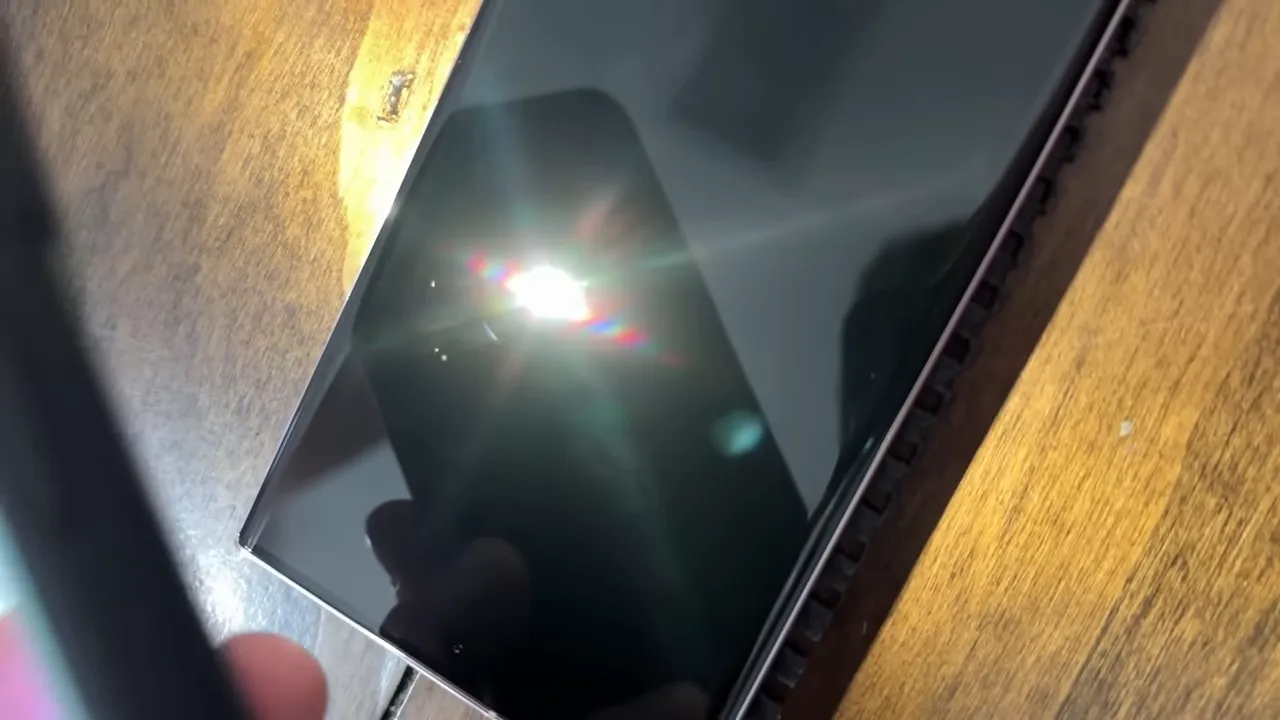
Looking straight at the display, you might not notice much. Tilt it around under a light, though, and suddenly those little lines become much more obvious.
On my phone, they weren’t deep enough to ruin the experience. The display was still perfectly usable. But this was a brand-new, expensive phone, and I certainly didn’t want a collection of marks on it after one day.
How does a soft pocket scratch glass?
The likely culprit isn’t the cotton, nylon, or polyester fabric itself. It’s the little particles of sand or other grit that can find their way into a pocket during everyday life.
I can’t identify the exact particle that marked my screen. That’s the annoying part: you don’t necessarily know anything abrasive is in there until you discover the result.
Being careful about drops doesn’t eliminate the risk of everyday surface scratches. Those are two different problems.
Gorilla Glass Victus 2 Doesn’t Mean Scratch-Proof
The Galaxy S23 Ultra uses Gorilla Glass Victus 2. That sounds reassuring, and it should. But a premium glass name isn’t a reason to assume the surface can’t pick up scratches.
The important distinction is resistance to breaking versus resistance to surface abrasion. Those aren’t interchangeable qualities. Corning’s Gorilla Glass information is useful background on the durability goals behind its cover glass, but my practical takeaway is much simpler: my S23 Ultra still developed fine marks during ordinary use.
I’ve always had a soft spot for Gorilla Glass 3 because of my experience with its scratch resistance. With newer glass, I’ve become more concerned about fine surface wear even when the phone survives without a crack. That’s my experience, not a controlled comparison proving one generation is universally better than another.
My titanium-and-gold wedding band is another reminder of the distinction. A material can be strong overall and still collect visible surface abrasions. Strength doesn’t automatically mean the finish stays pristine.
That’s why I don’t rely on the glass alone. A protector gives everyday wear another surface to land on instead of the phone’s actual display.
Film vs. Glass Screen Protectors for the S23 Ultra
There’s a give-and-take with both styles. Price matters, but so do the curved edges, fingerprint reader, touch response, and how the phone feels when you type.
Why I prefer a thin film protector
I’m using the amFilm HD Clear film-style protector. My preference comes down to how little it changes the phone’s everyday feel.
- It’s thin: Once installed, it’s barely noticeable to me.
- Typing feels familiar: It doesn’t add the same extra layer of glass between my fingers and the screen.
- The fingerprint reader works well: I haven’t had a problem using this film style with the S23 Ultra’s ultrasonic scanner.
- The haptic feel stays familiar: I prefer how typing vibrations feel through the thinner layer.
- Installation is straightforward: I found this particular protector easy to put on.
At the time I bought it, the pack was about $11.99, with a $2 coupon available. It included two screen protectors and two sets of rear camera lens covers. That was roughly ten dollars with the coupon, which made it an easy decision for me. Those were launch-period prices, not a promise of what it costs now.
If you want the same film-style option, this is my affiliate link.
When glass makes sense
If you prefer glass, Whitestone Dome Glass is the alternative I recommended. That’s also an affiliate link. At the time, options in that category were around $30 to $40, rather than the roughly $12 film pack.
My hesitation with glass protectors has mostly been about curved-edge displays. You need good, even adhesion, and not every protector achieves that equally well.
The more involved kits that use adhesive and a UV curing light have been the glass options I’ve preferred for this type of screen. Whitestone Dome is also an option I know works with the ultrasonic fingerprint reader.
Some glass protectors can change the perceived typing and haptic feel. Touch response may also feel different, and you may need to increase touch sensitivity in the phone’s settings. That adjustment is available, but it’s still something to consider before buying.
Neither film nor glass makes the display indestructible. My immediate concern here is avoiding scratches, not promising that an accessory will save the phone from every possible drop.
Check fingerprint compatibility before buying
Don’t assume every S23 Ultra screen protector works equally well with its fingerprint scanner. Research the exact protector, not just the brand or the fact that it fits the screen.
I’ve had good experiences with film protectors, including options from Spigen’s NeoFlex line and ArmorSuit on other occasions. But the important purchase checks remain the same:
- Is it made for the Galaxy S23 Ultra?
- Does it adhere properly around the curved display?
- Is compatibility with the ultrasonic fingerprint reader clearly established?
- Are you comfortable with the installation method and price?
Already Have Fine Scratches? It’s Not the End of the World
Here’s the silver lining: after I installed the film protector, I couldn’t see those little abrasions underneath it during normal use.
That doesn’t mean the protector repaired the glass. It means the marks became much less noticeable on my phone. A few shallow abrasions don’t automatically ruin an otherwise great device.
I’d still put protection on rather than continue carrying it bare and potentially collecting more.
I had the same film protector on my S22 Ultra for about a year, and it held up well. In fact, I was bragging to a friend at Samsung’s Unpacked event about how good it still looked. Samsung was installing free protectors at its Experience Store, and I passed because mine was fine.
Then I spent the day walking around San Francisco with the phone in my hoodie, pulled it out, and discovered I’d messed up the protector. Dadgummit. At least it was the replaceable layer taking the wear.
Get a Case, but Don’t Let Launch Deals Make the Decision for You
A screen protector is only part of the accessory conversation. I also like Samsung’s leather case for the S23 Ultra, and the silicone case with the strap is another option I’ve been happy with.
During the original preorder period, Samsung offered incentives that could help cover accessories. The promotion I discussed included Samsung credit and a free storage upgrade from 256GB to 512GB. That configuration upgrade also brought the phone up to 12GB of RAM. The credit could go toward things such as a case or a 45-watt charger.
Those were launch-period offers, not ongoing guarantees. They could make sense if you were already due for an upgrade, but they weren’t a reason to accept a poor trade-in value.
For example, I didn’t recommend handing over an S22 Ultra for a $500 trade-in just to move to the S23 Ultra. If the numbers don’t work for you, wait. Samsung promotions change, and there’s no need to force an upgrade because a particular bundle is ending.
My Advice: Have the Protection Ready First
The lesson here isn’t that a few tiny scratches make the Galaxy S23 Ultra a bad phone. It’s that careful handling and Gorilla Glass Victus 2 weren’t enough to keep my particular screen pristine.
Choose film or glass based on the feel, installation, fingerprint compatibility, and price you’re comfortable with. Then have it ready before the phone arrives, even if the delivery date moves up.
I waited one day and regretted it. Protect the screen from the start, and give yourself one less thing to worry about.


